Scalability Simply Explained: Principles and Techniques for Systems That Grow
ByteByteGo explains scalability: bottlenecks, statelessness, loose coupling, async processing, vertical vs horizontal scaling, load balancing, caching and sharding.
By Tech Team Strategy · Nov 24, 2026 · 4 min read
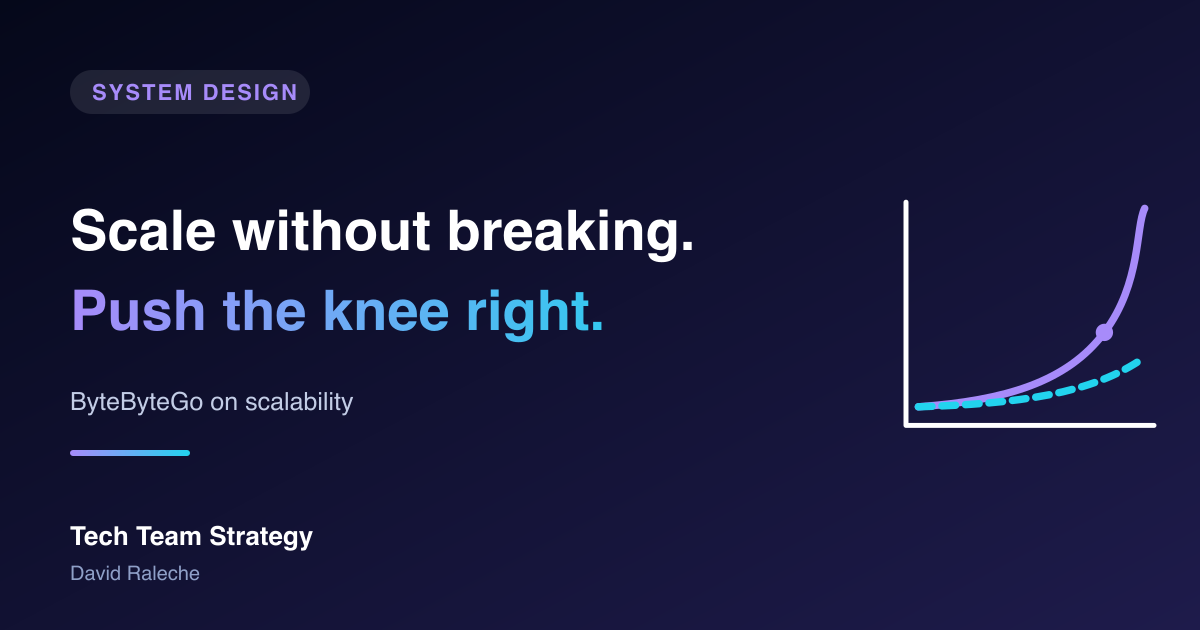
ByteByteGo, the team behind the System Design Interview books, explains scalability in about ten minutes: what it means, what stops systems from growing, the three principles that help, and the techniques large systems use to stay "rock-solid under pressure" when an app goes viral overnight.
Disclosure: the video ends with a promotion for the creator's newsletter. We have left it out of this summary.
This article is our own summary, with short quotes, from the video's automatic transcript. Watch the full video above for everything that was said.
The short version
- Scalable means efficient growth. A system scales if it handles more load by adding resources, without hurting performance and at a reasonable cost.
- Compare, don't label. Plot response time against demand; the more scalable system has the flatter curve, and every system eventually hits a "knee."
- Two bottlenecks: centralized components and high-latency operations.
- Three principles: statelessness, loose coupling and asynchronous processing.
- Two strategies: vertical scaling (a bigger machine) and horizontal scaling (more machines).
- Five techniques: load balancing, caching, sharding, avoiding centralized resources and modular design, plus constant monitoring.
System Design Interview – An Insider's Guide
Alex Xu
ByteByteGo wrote: “Book by Alex Xu”

System Design Interview – An Insider's Guide: Volume 2
Alex Xu and Sudipto Sengupta
ByteByteGo wrote: “Book by Alex Xu and Sudipto Sengupta”
Machine Learning System Design Interview
Ali Aminian and Alex Xu
ByteByteGo wrote: “Book by Ali Aminian and Alex Xu”
As an Amazon Associate, RALECHE earns from qualifying purchases.
The words worth stealing from this conversation, what they mean, and who said them.
Elegant words
- cornerstone
- An important quality or feature on which a particular thing is based or developed.
- System Design: “Today, we're diving deep into a cornerstone of system design: scalability.”
- mitigate
- To make something less severe, harmful, or painful.
- System Design: “In such cases, we need to find ways to mitigate their impact, such as optimizing their performance...”
- pitfall
- A hidden or unsuspected danger or difficulty.
- System Design: “This modular approach helps us avoid the pitfall of monolithic architectures, where changes in one area can have unintended consequences elsewhere.”
- ripple effects
- The continuing and spreading results of an event or action throughout a system.
- System Design: “By using well-defined interfaces or APIs for communication, we can modify or replace individual components without causing ripple effects throughout the system.”
Tech vocabulary
- asynchronous processing
- A method where tasks run independently without waiting for other tasks to finish first.
- System Design: “Instead of having services call each other directly and wait for a response, which can create bottlenecks, we use an event-driven architecture.”
- bottleneck
- A point of congestion in a system that slows down or stops the entire process.
- System Design: “So, what typically causes scaling bottlenecks? There are two main culprits.”
- caching
- Storing frequently accessed data in a temporary, high-speed storage layer for faster retrieval.
- System Design: “Caching is like giving our system short-term memory boost.”
- CDN
- A network of distributed servers that deliver web content to users based on their geographic location.
- System Design: “Implementing a Content Delivery Network (CDN) can also offload traffic and improve response times for users globally.”
- fan-out
- A design pattern where a single message or task is distributed to multiple destinations simultaneously.
- System Design: “Design patterns like fan-out, pipes, and filters can help distribute workloads effectively across our system.”
- horizontal scaling
- Adding more machines or servers to share and distribute the workload.
- System Design: “Horizontal scaling, or scaling out, involves adding more machines to share the workload.”
- latency
- The delay or time it takes for data to travel from one point to another in a system.
- System Design: “High latency operations, such as time-consuming data processing tasks, can drag down the overall response time...”
- load balancing
- Distributing incoming network traffic across multiple servers to prevent any single server from overloading.
- System Design: “Think of load balancers as the traffic cop of our system, directing incoming requests to the servers best equipped to handle them.”
- loose coupling
- An approach where system components operate independently with minimal dependencies on each other.
- System Design: “This is all about designing systems components that can operate independently, with minimal dependencies on each other.”
- microservice
- An architectural style that structures an application as a collection of small, independent services.
- System Design: “For example, if one microservice becomes a bottleneck, we can scale out just that service without affecting the rest of the system.”
- scalability
- The measure of a system's ability to handle growing amounts of work by adding resources.
- System Design: “At its core, a system is scalable if it can handle increased loads by adding resources – without compromising performance.”
- sharding
- Splitting a large database into smaller, faster, and more easily managed pieces across multiple servers.
- System Design: “Sharding involves splitting large datasets into smaller, more manageable pieces, each stored on different servers.”
- statelessness
- A design where servers do not store client data between requests, making them easily interchangeable.
- System Design: “By keeping servers stateless, we make it easy to scale horizontally because any server can handle any request.”
- throughput
- The amount of data or transactions a system can process within a specific timeframe.
- System Design: “Keep a close eye on key metrics like CPU usage, memory consumption, network bandwidth, response times, and throughput.”
- vertical scaling
- Increasing the capacity of a single machine, such as adding more CPU or RAM.
- System Design: “Vertical scaling, or scaling up, involves increasing the capacity of a single machine.”
Trends and buzzwords
- cloud-native
- Applications designed specifically to run and scale within modern, dynamic cloud environments.
- System Design: “This approach is particularly effective for cloud-native applications and offers better fault tolerance.”
What scalability really means
At its core, a system is scalable if it can handle increased load by adding resources without compromising performance. But it is also about doing so cost-effectively. Adding processors or servers raises questions: how do they coordinate, and will the coordination overhead eat the gains?
It is more useful to compare systems than to call one "scalable." Draw a response vs. demand curve: demand on the x-axis, response time on the y-axis. A more scalable system's curve rises less steeply. No system is infinitely scalable; the point where performance drops fast is the knee, and the goal of system design is to push it as far right as possible.
What causes bottlenecks
- Centralized components, like a single database server handling every transaction, set a hard upper limit.
- High-latency operations, like slow data processing, drag down response time no matter how many resources you add.
When a central component is required for business or technical reasons, soften its impact with optimization, caching or replication.
Three principles for systems that scale
- Statelessness. Servers don't keep client data between requests, so any server can handle any request and losing one loses nothing. When state is needed, such as user sessions, move it to a distributed cache or database.
- Loose coupling. Components talk through well-defined interfaces or APIs, so one can be changed or replaced without ripple effects, and a single bottleneck service can be scaled out on its own.
- Asynchronous processing. Instead of calling each other and waiting, services emit and listen for events. This avoids blocking and cascading failures, at the cost of harder error handling, debugging and data consistency.
Vertical vs. horizontal scaling
Vertical scaling (scaling up) means a bigger machine with more CPU, RAM or storage. It is simple and suits systems that are hard to distribute, like some databases with strict consistency needs, but it has physical limits and costs climb steeply near the top.
Horizontal scaling (scaling out) adds more machines working in parallel. It fits cloud-native apps, tolerates failures better and is often cheaper at large scale, since capacity can follow demand. The trade-off: data consistency, network overhead and the complexity of distributed systems.
Techniques that work
- Load balancing: the "traffic cop" that spreads requests with algorithms such as round-robin, least connections or performance-based routing, so no server is overwhelmed while others sit idle.
- Caching: a short-term memory boost on the client, the server or a distributed cache, plus a CDN to serve users around the world faster.
- Sharding: splitting large datasets across servers. Choose shard keys from real access patterns to spread the load evenly and avoid hotspots and cross-shard queries.
- Avoid centralized resources: use several queues instead of one, break long tasks into small parallel ones, and use patterns like fan-out and pipes and filters.
- Modularity: loosely coupled modules avoid the monolith trap, where a change in one place breaks another.
Scaling never stops
Watch CPU, memory, network bandwidth, response times and throughput to find bottlenecks and decide when to scale. "What works today might not be sufficient tomorrow," so revisit design decisions as the product grows.
What it means for your business
- Measure the curve. Load-test your app and find where response time bends before your customers do.
- Keep web servers stateless so you can add or remove them freely.
- Find the single points. List every component there is only one of, and plan caching or replication for it.
- Scale up first, out when needed. A bigger machine is often the cheapest early fix; design so you can scale out later.
Video details
- Title: Scalability Simply Explained in 10 Minutes
- Creator: ByteByteGo
- Published by: ByteByteGo on YouTube
- Watch: youtube.com/watch?v=EWS_CIxttVw
- Note: quotes and details come from the video's automatic transcript and are lightly cleaned. Check the video for exact wording.
Want to put this to work?
We help owners turn AI trends into a plan, a product and a launch. Book a free call or see our services.
Full transcript
Read the whole interview, word for word, with a timestamp on every answer. Free with a sign-in.
Sign in to read itOriginally published by Tech Team Strategy
What did you think of this story?
+10 tokensTap to vote ↓
Get the briefing
The week's essential stories, free in your inbox.
More

Top 10 AWS Security Interview Questions and Answers
AWS security interview questions and answers: EC2 best practices, encryption in transit, key pairs, compliance laws, WAF, CloudTrail, GuardDuty, security groups vs NACLs.
Nov 24, 2026 · 4 min

Top 50+ AWS Services Explained in 10 Minutes
A quick guide to 50+ AWS services from Fireship: EC2, Lambda, ECS, Fargate, S3, DynamoDB, Aurora, Redshift, SageMaker, IAM, CloudFormation and more.
Nov 24, 2026 · 5 min
ECS on EC2 vs Fargate: The Difference and When to Use Each
Running containers on AWS: ECS on EC2 vs Fargate explained, with key ECS terms (cluster, task, service), pros and cons, costs and when to choose each.
Nov 24, 2026 · 4 min
Comments
Sign in to commentJoin the conversation and earn 10 tokens.